
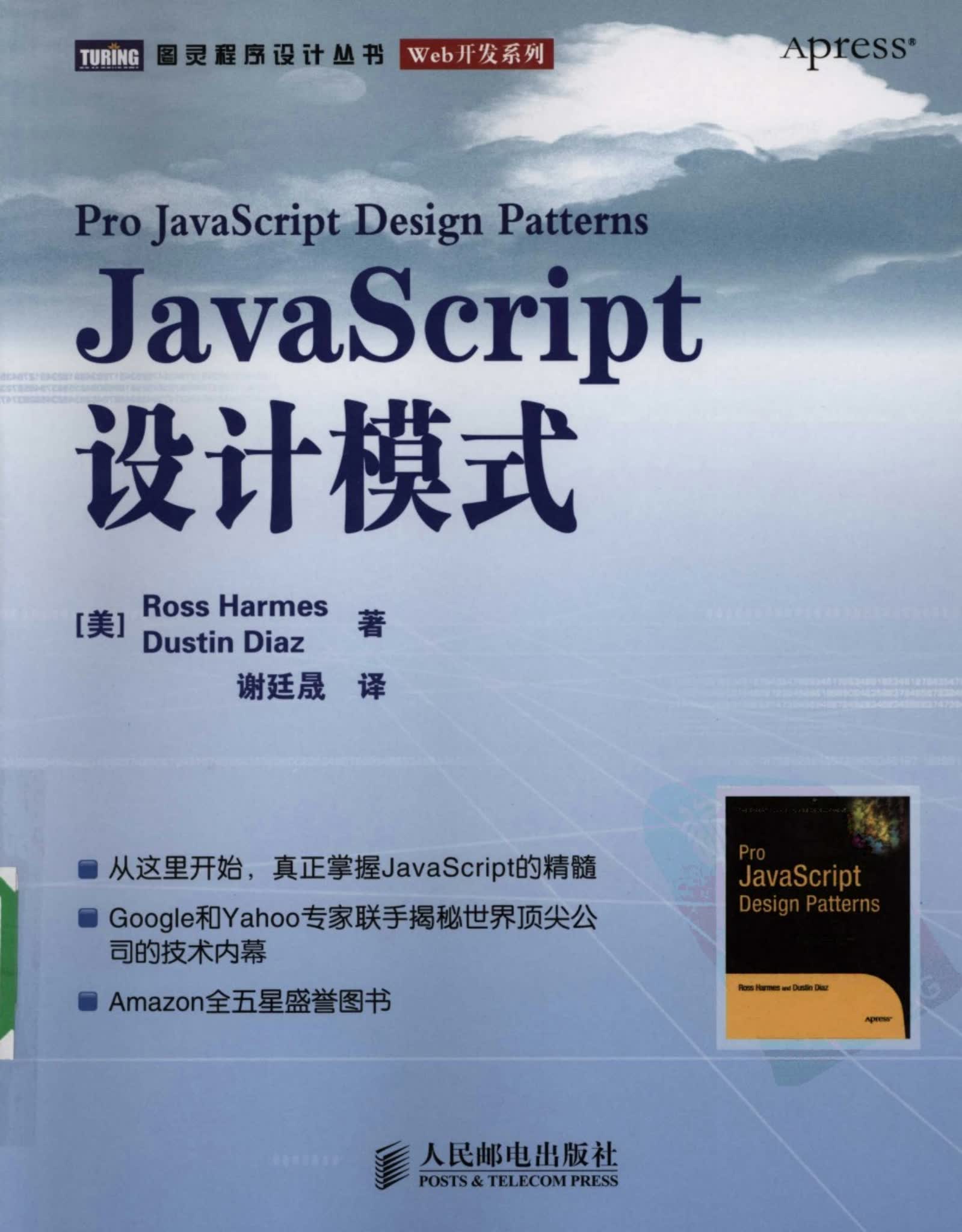
《JavaScript设计模式》笔记
JavaScript必须书籍之一!
# 面对对象
# 编程风格
JavaScript 的编程风格是很自由的,可以直接定义方法任意调用,也可以构建对象(类)加强函数语义;除此之外 JavaScript 还有自由的类型、函数等:
- 弱类型:变量没有固定的类型,语言根据值的类型去自动识别参数的类型,类型之间可以自由转换(还支持隐式类型转换);
- 变量提升:函数定义会提升到作用域顶部,类的方法也可以在实例化之后定义;
由于编程风格过于自由,导致开发者无法保证遵守规范,就很需要使用【接口】来处理。但是 Javascript 中,没有接口的概念,也没有 interface 关键字,只能通过写注释 / 属性检查 / 自定义接口等方式来实现。事实上,大多数程序员疏于写注释,更不用说去使用自定义接口来进行严格的类型检查,所以现在大部分较大的项目中都会使用 TS 来实现类型检查。
接口是用来把 参数/函数 归类的一种工具,在不了解具体实现的前提下,通过限制函数入参、出参类型,便于了解代码的语义。TypeScript 中实现了 interface。
后面的设计模式中有很多种都使用了接口概念,所以接口的概念还是需要了解一下
# 封装
在 JavaScript 中,因为没有私有 private 的概念,类上的属性、方法会暴露出来可以任意调用,为了函数被滥用的情况发生。我们需要封装并私有化部分方法:
var Book = function(name, content, pages){
  this.name = name
  this._pages = pages // 约定俗成 参数、方法前面增加一个下划线的,认为是私有的,虽然在代码中还是公开的
  function check(){} // 或者使用闭包来真实的控制不可以被外部访问,但是这种比较消耗内存,每个实例化都需要把私有部分占据一份内存
}
// 或者直接使用闭包,这种写法在内存中只存放一份
var Book = (function(){
  this.name = name // 私有
  return function(name, content, pages){
    this.pages = pages // 私有
    this.check = () => {} // 私有
  }
})()
2
3
4
5
6
7
8
9
10
11
12
13
优点:保证了数据的完整性,降低了代码的耦合性,防止了不必要的命名冲突
缺点:无法单元测试,操作复杂且容易过度封装
# 继承
类式继承:使用构造函数
// ES5 组合继承
function Man(name, sex){
 Person.call(this, name)
}
Man.prototype = new Person()
Man.prototype.constructor = Man

// 封装继承函数
function extend(subClass, superClass){
  // subClass 继承 superClass,然后修复 subClass 的原型链,和上面分步写的一致
  var F = function(){}
  F.prototype = superClass.prototype
  subClass.prototype = new F()
  subClass.prototype.constructor = subClass
  // 上面的写法视线了继承,但存在一个问题:父类的名称会固化在子类的声明中,为了降低代码耦合,做如下处理:
  // 举例:假设父子类存在重名函数,如下操作后,就可以在子类中调用父类的函数,而不会因为重名而覆盖
  subClass.superclass = superClass.prototype // 新增superclass属性,用来在子类中调用父类的方法
  if(superClass.prototype.constructor == Object.prototype.constructor){ // 用来确保父类就是Object
    superClass.prototype.constructor = superClass // 修复父类的原型链
  }
}
2
3
4
5
6
7
8
9
10
11
12
13
14
15
16
17
18
19
20
21
原型式继承:使用普通对象
// 核心函数
function clone(object){
  var F = function(){}
  F.prototype = object
  return new F()
}
var Person = { name: 'name' }
var Man = clone(Person)
Man.sex = 'man'
2
3
4
5
6
7
8
9
# 单体模式
单体模式就是把属性、方法绑定在对象上,在后续使用的时不用实例化,直接调用对应的方法就可以。
单体模式的优点就是代码简洁易懂,可以适当的减少内存消耗;缺点是代码间强耦合,不利于类的复用,也不利于单元测试。
# 链式调用
链式调用就是在函数末尾返回当前对象的操作,jq就是链式调用最经典的案例。
// 伪代码
Function.prototype.method = function(name, fn){ // 原型链上添加函数
  this.prototype[name] = fn
  return this // 链式
};
(function(){
  function _$(els){
    this.elements = [];
    for (let i = 0; i < els.length; i++) {
      let element = els[i];
      if(typeof element === 'string'){
        element = document.getElementById(element) // 伪代码,要模仿jq还需要更复杂的操作
      }
      this.elements.push(element)
    }
  }
  // 链式增加方法
  _$
  .method('addEvent', function(){
    // ...
    return this // 链式调用
  })
  .method('rmEvent', function(){
    // ...
  })
  // 绑定到全局对象上,但是可能覆盖其他同名全局变量,需要支持可以自定义变量名称
  // window.$ = function(){
  //   return new _$()
  // }
  // 自定义变量名称
  window.installHellper = function(scope, interface){
    scope[interface] = function(){
      return new _$(arguments)
    }
  }
})()
// 自定义变量使用
installHellper(window, '$')
2
3
4
5
6
7
8
9
10
11
12
13
14
15
16
17
18
19
20
21
22
23
24
25
26
27
28
29
30
31
32
33
34
35
36
37
38
# 设计模式
# 预置函数
因为设计模式大都会用到继承、接口校验等功能,所以提供一下预置的函数。
// 接口函数
const Interface = function(name, methods){
  // 创建接口规则
  if(arguments.length != 2){
    throw new Error('Interface 参数必须有两个')
  }
  this.name = name
  this.methods = []
  for(let i = 0, len = methods.length; i < len; i++) {
    if(typeof methods[i] !== 'string'){
      throw new Error('methods 参数子项类型必须是字符串')
    }
    this.methods.push(methods[i])
  }
}
Interface.ensureImplements = function(object){
  // 参数检查
  // 根据后面的参数(根据上面对象创建的接口) 校验第一个参数(任一对象)规则
  if (arguments.length < 2) {
    throw new Error('Interface.ensureImplements 参数必须有两个')
  }
  for (let i = 1; i < arguments.length; i++) {
    const interface = arguments[i];
    if(interface.constructor != Interface){
      throw new Error('Function Interface.ensureImplements 参数必须有两个且必须是Interface的实例')
    }
    for(let j = 0, methodsLen = interface.methods.length; j < methodsLen; j++) {
      const method = interface.methods[j];
      if(!object[method] || typeof object[method] != 'function'){
        console.log(object);
        throw new Error('Interface.ensureImplements 对象没有实现接口' + interface.name + ' 中的 ' + method + ' 方法。')
      }
    }
  }
}

// 继承函数
function extend(subClass, superClass){
  let F = function(){}
  F.prototype = superClass.prototype
  subClass.prototype = new F()
  subClass.prototype.constructor = subClass
  // 修复
  subClass.superclass = superClass.prototype
  if(superClass.prototype.constructor == Object.prototype.constructor){
    superClass.prototype.constructor = superClass
  }
}
2
3
4
5
6
7
8
9
10
11
12
13
14
15
16
17
18
19
20
21
22
23
24
25
26
27
28
29
30
31
32
33
34
35
36
37
38
39
40
41
42
43
44
45
46
47
48
# 工厂模式
理解为一个根据业务条件来派发类的一个函数,用来简化实例化的逻辑;
工厂函数中实例化的类中,也会调用其他类的方法。这样提高代码的复用性。
// 例子:XHR工厂 根据业务逻辑分别实例化子XHR对象(普通XHR、)
const AjaxHandler = new Interface('AjaxHandler', ['request', 'creatXHRObject']) // 定义一个接口规则
// 普通XHR封装
function SimpleHandler(opt){
  this.baseUrl = opt && opt.baseUrl || ''
}
SimpleHandler.prototype = {
  request: function(method, url, callback, postVars){
    let xhr = this.creatXHRObject()
    xhr.onreadystatechange = function(){
      if(xhr.readyState != 4) return
      xhr.status == 200 ? callback.success(xhr.responseText, xhr.responseXML) : callback.error(xhr.status)
    }
    xhr.open(method, url, true)
    if(method.toLocaleLowerCase() != 'post') postVars = null
    xhr.send(JSON.stringify(postVars))
  },
  creatXHRObject: function(){ // 工厂函数(简单工厂模式)
    const methods = [
      function(){return new XMLHttpRequest()},
      function(){return new ActiveXObject('Msxml2.XMLHTTP')},
      function(){return new ActiveXObject('Microsoft.XMLHTTP')}
    ]
    for (let i = 0; i < methods.length; i++) {
      try{
        methods[i]()
      }catch(e){
        console.log(e);
        continue
      }
      this.creatXHRObject = methods[i] // 匹配到合适方法后把自身变为该方法,这操作也叫 memoizing技术
      return methods[i]()
    }
    throw new Error('XHR对象均已失效')
  }
}
// 队列XHR
function QueuedHandler(delay){ // 队列请求
  this.queue = []
  this.requestInProgress = false
  this.retryDelay = delay || 5
}
extend(QueuedHandler, SimpleHandler)
// 继承的错误示例
// QueuedHandler.prototype = { // 这样会覆盖掉上面继承来的原型
//   request: ()=>{} // 箭头函数会导致this指向丢失
// }
QueuedHandler.prototype.request = function(method, url, callback, postVars, override = false) {
  // 函数重写
  if(this.requestInProgress && !override){
    this.queue.push({
      method, url, callback, postVars
    })
  }else{
    this.requestInProgress = true
    const that = this
    let xhr = this.creatXHRObject() // 继承来的
    xhr.onreadystatechange = function(){
      if(xhr.readyState != 4) return
      if(xhr.status == 200){
        callback.success(xhr.responseText, xhr.responseXML)
        that.advanceQueue()
      }else{
        callback.error(xhr.status)
        setTimeout(function(){
          that.request(method, url, callback, postVars, true) // 超时后插队
        }, that.retryDelay * 1000)
      }
    }
    xhr.open(method, this.baseUrl + url, true)
    if(method.toLocaleLowerCase() != 'post') postVars = null
    xhr.send(JSON.stringify(postVars))
  }
}
QueuedHandler.prototype.advanceQueue = function() {
  if(this.queue.length == 0){
    this.requestInProgress = false
    return
  }
  const req = this.queuq.shift()
  this.request(req.method, req.url, req.callback, req.postVars, true) // 处理下一个请求
}
// 离线XHR
const OfflineHandler = function(){
  this.stopRequest = []
}
extend(OfflineHandler, SimpleHandler)
OfflineHandler.prototype.request = function(method, url, callback, postVars) {
  if(XHRManager.isOffLine()){ // 使用工具查看是否断网
    this.stopRequest.push({
      method, url, callback, postVars
    })
  }else{
    this.flushStoreRequest()
    OfflineHandler.superclass.request(method, url, callback, postVars)
  }
}
OfflineHandler.prototype.flushStoreRequest = function() {
  // 等到再次出发请求且有网络时 发送缓存的请求
  for (let i = 0; i < this.stopRequest.length; i++) {
    const req = this.stopRequest[i]
    OfflineHandler.superclass.request(req.method, req.url, req.callback, req.postVars, true)
  }
}
// 工厂函数
const XHRManager = {
  createHandler: function(){
    let xhr
    if(this.isOffLine()){ // 断网时 使用离线对象
      xhr = new OfflineHandler()
    }else if(this.isHighLatency()){ // 高延迟时 使用队列对象
      xhr = new QueuedHandler()
    }else{
      xhr = new SimpleHandler() // 普通的请求
    }
    Interface.ensureImplements(xhr, AjaxHandler) // 校验返回的实例是否复合接口规则
    return xhr
  },
  isOffLine: function(){
    // TODO
    return false
  },
  isHighLatency: function(){
    // TODO
    return false
  }
}
// 实际调用
const AjaxFactory = XHRManager.createHandler()
AjaxFactory.request('GET', '/product/list', {
  success: function(res){
    console.log('Success: ', res);
  },
  error: function(errorCode){
    console.error("Fail: " + errorCode);
  }
})
2
3
4
5
6
7
8
9
10
11
12
13
14
15
16
17
18
19
20
21
22
23
24
25
26
27
28
29
30
31
32
33
34
35
36
37
38
39
40
41
42
43
44
45
46
47
48
49
50
51
52
53
54
55
56
57
58
59
60
61
62
63
64
65
66
67
68
69
70
71
72
73
74
75
76
77
78
79
80
81
82
83
84
85
86
87
88
89
90
91
92
93
94
95
96
97
98
99
100
101
102
103
104
105
106
107
108
109
110
111
112
113
114
115
116
117
118
119
120
121
122
123
124
125
126
127
128
129
130
131
132
133
134
135
136
137
上面就是XHR工厂,实现了根据网络情况不同,来调用提前封装好的不同功能的XHR对象。
下面使用一个例子,RSS阅读器 来调用XHR工厂:
const DisplayModule = new Interface('DisplayModule', ['append', 'remove', 'clear'])
// 一个插入列表的类
const ListDisplay = function(id, parent){
  this.list = document.createElement('ul')
  this.list.id = id
  parent.appendChild(this.list)
}
ListDisplay.prototype = {
  append: function(text){
    const newEl = document.createElement('li')
    this.list.appendChild(newEl)
    newEl.innerHTML = text
    return newEl
  },
  remove: function(el){
    this.list.removeChild(el)
  },
  clear: function(){
    this.list.innerHTML = ''
  }
}
// RSS 订阅功能类
const FeedReader = function(display, xhrHandler, conf){
  this.display = display
  this.xhrHandler = xhrHandler
  this.conf = conf

  this.startUpdates()
}
FeedReader.prototype = {
  fetchFeed: function(){
    const that = this
    this.xhrHandler.request('GET', this.conf.feedUrl, {
      success: function(res, xml){
        that.parseFeed(text, xml)
      },
      error: function(status){
        that.showError(status)
      }
    })
  },
  parseFeed: function(res){
    this.display.clear()
  },
  showError: function(status){
    this.display.clear()
    this.display.append('Fetch Error')
  },
  stopUpdates: function(){
    clearInterval(this.interval)
  },
  startUpdates: function(){
    this.fetchFeed()
    var that = this
    this.interval = setInterval(function(){
      that.fetchFeed()
    }, this.conf.updateInterval * 1000)
  }
}
// 这其实也是一个工厂,用来组合功能子类,实例化最顶部的类
const FeedManager = {
  createFeedReader: function(conf){
    var displayModule = new ListDisplay(conf.id + '-display', conf.parent)
    Interface.ensureImplements(displayModule, DisplayModule)

    var xhrHandler = XHRManager.createHandler();
    Interface.ensureImplements(xhrHandler, AjaxHandler)

    return new FeedReader(displayModule, xhrHandler, conf)
  }
}
// 使用
FeedManager.createFeedReader({
  id: 'tech-news',
  feedUrl: 'http://jandan.net/feed', // 真实使用需要处理跨域
  updateInterval: 60,
  parent: document.querySelector('#news')
})
2
3
4
5
6
7
8
9
10
11
12
13
14
15
16
17
18
19
20
21
22
23
24
25
26
27
28
29
30
31
32
33
34
35
36
37
38
39
40
41
42
43
44
45
46
47
48
49
50
51
52
53
54
55
56
57
58
59
60
61
62
63
64
65
66
67
68
69
70
71
72
73
74
75
76
77
78
优点: 消除对象之间的耦合,防止代码重复,有助于代码的模块化。
缺点: 如果同一个功能不会使用多个类就不需要使用。
# 桥接模式
为某些时候由于传入的参数和类中需要的参数不能完全一致,需要增加一个方法,可以按照业务逻辑来分类参数,避免业务代码与类的耦合
// 注意:这部分代码不是桥接模式。是因为调用功能时,使用的是桥接模式,所以作为前置代码写在这里。
// 构建XHR队列
var asyncRequest = (function(){
  function handleReadyState(o, callback){
    var poll = window.setInterval(function(){
      if(o && o.readyState == 4){
        window.clearInterval(poll)
        if(callback){
          callback(o)
        }
      }
    },50)
  }
  var getXHR = function(){
    var http
    try{
      http = new XMLHttpRequest
      getXHR = function(){
        return new XMLHttpRequest
      }
    }catch(e){
      const msxml = [
        'MSXML.XMLHTTP.3.0',
        'MSXML2.XMLHTTP',
        'Microsoft.XMLHTTP',
      ]
      for (let i = 0; i < msxml.length; i++) {
        try{
          http = new ActiveXObject(msxml[i])
          getXHR = function(){
            return new ActiveXObject(msxml[i])
          }
          break;
        }catch(e){
          console.log(e);
        }
      }
    }
    return http
  }
  return function(method, url, callback, postData){
    var http = getXHR()
    http.open(method, url, true)
    handleReadyState(http, callback)
    http.send(postData || null)
    return http
  }
})()
// 给function添加 链式调用 功能
Function.prototype.method = function(name, fn){
  this.prototype[name] = fn
  return this
}
// 添加观察者系统
window.DED = window.DED || {}
DED.util = DED.util || {}
DED.util.Observer = function(){
  this.fns = [] // 记录的函数数组
}
DED.util.Observer.prototype = {
  subscribe: function(fn){
    this.fns.push(fn) // 函数fn添加到订阅列表中
  },
  unsubseribe: function(fn){
    // 解除函数fn的订阅
    this.fns = this.fns.filter(function(e){
      if(e != fn){
        return e
      }
    })
  },
  fire: function(o){
    // 触发订阅 执行订阅列表,o代表触发时传入的参数
    this.fns.forEach(e=>{
      e(o)
    })
  }
}
// 队列类
DED.Queue = function(){
  // 函数数组
  this.queue = []
  // 处理结果 监听
  this.onComplete = new DED.util.Observer
  this.onFailure = new DED.util.Observer
  this.onFlush = new DED.util.Observer
  // 设置参数
  this.retryCount = 3 // 最多尝试次数
  this.currentRetry = 3 // 当前尝试次数
  this.paused = false // 暂停
  this.timeout = 5000 // 超时
  this.conn = {} // 请求对象
  this.timer = {} // 重复触发
}
// 新增链式函数
DED.Queue
.method('flush', function(){
  // 发送请求并移出数组
  if(!this.queue.length > 0) return
  if(this.paused){
    this.paused = false;
    return;
  }
  var that = this
  this.currentRetry++
  // 重复尝试功能
  this.timer = window.setTimeout(function(){
    that.conn.abort() // 终止当前请求
    if(that.currentRetry == that.retryCount){ // 到了
      that.onFailure.fire()
      that.currentRetry = 0
    } else {
      that.flush()
    }
  }, this.timeout)
  // 请求对象
  this.conn = asyncRequest(this.queue[0].method, this.queue[0].url, function(o){
    // 请求回调
    window.clearTimeout(that.timer)
    that.currentRetry = 0
    that.queue.shift()
    that.onFlush.fire(o.responseText)
    if(that.queue.length == 0){
      that.onComplete.fire()
      return
    }
    that.flush()
  }, this.queue[0].params)
})
.method('setRetryCount', function(count){ // 设置最多尝试次数
  this.retryCount = count
})
.method('setTimeout', function(time){ // 设置超时等待时间
  this.timeout = time
})
.method('add', function(o){ // 添加队列
  this.queue.push(o)
})
.method('pause', function(){ // 暂停
  this.paused = true
})
.method('dequeue', function(){ // 清理最后一个位置
  this.queue.pop()
})
.method('clear', function(){
  this.queue = []
})
2
3
4
5
6
7
8
9
10
11
12
13
14
15
16
17
18
19
20
21
22
23
24
25
26
27
28
29
30
31
32
33
34
35
36
37
38
39
40
41
42
43
44
45
46
47
48
49
50
51
52
53
54
55
56
57
58
59
60
61
62
63
64
65
66
67
68
69
70
71
72
73
74
75
76
77
78
79
80
81
82
83
84
85
86
87
88
89
90
91
92
93
94
95
96
97
98
99
100
101
102
103
104
105
106
107
108
109
110
111
112
113
114
115
116
117
118
119
120
121
122
123
124
125
126
127
128
129
130
131
132
133
134
135
136
137
138
139
140
141
142
143
144
145
146
147
上面的代码包含了一个XHR请求对象、一个Function的链式调用功能和一个队列类,用来实现一个 异步请求队列 的功能。暂不包含桥接模式,具体的代码在下面:
// 实际使用时,会使用桥接模式
window.onload = function(){
  var q = new DED.Queue
  q.setRetryCount(5)
  q.setTimeout(5)

  var items = document.querySelector('#items')
  var results = document.querySelector('#results')
  var queue = document.querySelector('#queue-items')

  var requests = []  // 请求队列

  // 开始订阅
  q.onFlush.subscribe(function(data){
    results.innerHTML = data
    requests.shift()
    queue.innerHTML = requests.toString()
  })
  q.onFailure.subscribe(function(){
    results.innerHTML += ' <span style="color: red;">Connection Error</span>'
  })
  q.onComplete.subscribe(function(){
    results.innerHTML += ' <span style="color: green;">Connection Completed!</span>'
  })
  // 方法调度
  var actionDispatcher = function(element){
    switch(element){
      case 'flush': q.flush(); break;
      case 'dequeue': q.flush(); break;
      case 'dequeue': q.dequeue(); requests.pop(); queue.innerHTML = requests.toString(); break;
      case 'pause': q.pause(); break;
      case 'clear': q.clear(); requests = []; queue.innerHTML = ''; break;
    }
  }
  // 添加队列
  var addRequest = function(request){
    var data = request.split('-')[1]
    q.add({
      method: 'GET',
      url: '/rss.html?data=' + data,
      params: null
    })
    requests.push(data)
    queue.innerHTML = requests.toString()
  }
  items.onclick = function(e){
    var e = e || window.event
    var src = e.target || e.srcElement
    try{
      e.preventDefault();
    }catch(ex){
      e.returnValue = false
    }
    actionDispatcher(src.id) // 桥接
  }
  document.querySelector('#address').onclick = function(e){
    var e = e || window.event
    var src = e.target || e.srcElement
    try{
      e.preventDefault();
    }catch(ex){
      e.returnValue = false
    }
    addRequest(src.id) // 桥接
  }
}
2
3
4
5
6
7
8
9
10
11
12
13
14
15
16
17
18
19
20
21
22
23
24
25
26
27
28
29
30
31
32
33
34
35
36
37
38
39
40
41
42
43
44
45
46
47
48
49
50
51
52
53
54
55
56
57
58
59
60
61
62
63
64
65
66
优点: 把业务、数据等 规范/格式化后 再传递 可以有效分离 业务与公共类之前到耦合性
缺点: 除了需要注意不要滥用外 没什么缺点
# 组合模式
树形结构:叶对象负责实施基本操作、组合对象负责梳理关系,组合对象之上还可以有组合对象,用来实现更复杂的业务逻辑
样可以在存在大批对象的情况下,不着痕迹的用一组对象替换一个对象
实际使用中,表单验证非常适合使用组合模式,表单中 input | select 等作为叶对象,字段可以分组作为组合对象(例如地址的级联抽离出来 就是一个可替换的组合对象,),最后组成的表单可以视为最顶层的组合对象,下面是表单验证案例:
var Composite = new Interface('Composite', ['add','remove','getChild'])
var FormItem = new Interface('FormItem', ['save'])

var CompositeForm = function(id, method, action){
  this.formCompoents = []

  this.element = document.createElement('form')
  this.element.id = id
  this.element.method = method || 'POST'
  this.element.action = action || '#'
}
CompositeForm.prototype.add = function(child){
  // 添加一个
  Interface.ensureImplements(child, Composite, FormItem)
  this.formCompoents.push(child)
  this.element.appendChild(child.getElement())
}
CompositeForm.prototype.remove = function(child){
  // 删除一个
  for (let i = 0; i < this.CompositeForm.length; i++) {
    if(this.CompositeForm[i] == child){
      this.CompositeForm.splice(i, 1)
      break
    }
  }
}
CompositeForm.prototype.getChild = function(i){
  // 根据index获取
  return this.formCompoents[i]
}
CompositeForm.prototype.save = function(){
  for (let i = 0; i < this.formCompoents.length; i++) {
    this.formCompoents[i].save() // 触发子对象的save
  }
}
CompositeForm.prototype.getElement = function(){
  return this.element
}
// 叶对象类 被各个叶对象类继承
var Field = function(id){
  this.id = id
  this.element = null
}
Field.prototype.add = function(){}
Field.prototype.remove = function(){}
Field.prototype.getChild = function(){}
Field.prototype.save = function(){
  localStorage.setItem(this.id, this.getValue())
}
Field.prototype.getElement = function(){
  return this.element
}
Field.prototype.getValue = function(){
  throw new Error('不支持的操作')
}
// Input/Select/Textarea
var InputField = function(id, label){
  Field.call(this, id)
  this.input = document.createElement('input')
  this.input.id = id

  this.label = document.createElement('label')
  var labelText = document.createTextNode(label)
  this.label.appendChild(labelText)

  this.element = document.createElement('div')
  this.element.className = 'input-field'
  this.element.appendChild(this.label)
  this.element.appendChild(this.input)
}
extend(InputField, Field)
InputField.prototype.getValue = function(){
  return this.input.value
}
var TextareaField = function(id, label){
  Field.call(this, id)
  this.textarea = document.createElement('textarea')
  this.textarea.id = id

  this.label = document.createElement('label')
  var labelText = document.createTextNode(label)
  this.label.appendChild(labelText)

  this.element = document.createElement('div')
  this.element.className = 'input-field'
  this.element.appendChild(this.label)
  this.element.appendChild(this.textarea)
}
extend(TextareaField, Field)
TextareaField.prototype.getValue = function(){
  return this.textarea.value
}
var SelectField = function(id, label, options){
  Field.call(this, id)
  this.select = document.createElement('select')
  this.select.id = id
  const that = this
  if(options && options.length){
    options.forEach(function(e){
      var option = document.createElement('option')
      option.text = e
      option.setAttribute('value', e)
      that.select.appendChild(option)
    })
  }

  this.label = document.createElement('label')
  var labelText = document.createTextNode(label)
  this.label.appendChild(labelText)

  this.element = document.createElement('div')
  this.element.className = 'input-field'
  this.element.appendChild(this.label)
  this.element.appendChild(this.select)
}
extend(SelectField, Field)
SelectField.prototype.getValue = function(){
  console.log(this.select.options, this.select.selectedIndex);
  return this.select.options[this.select.selectedIndex].value
}
// console.log(new InputField());
// 组合表单
const stateArray = ['AA','BB','CC']
var contactForm = new CompositeForm('contact-form', 'post', 'contact.json')
contactForm.add(new InputField('first-name', 'First Name'))
contactForm.add(new InputField('last-name', 'Last Name'))
contactForm.add(new InputField('address', 'Address'))
contactForm.add(new InputField('city', 'City'))
contactForm.add(new SelectField('state', 'State', stateArray))
contactForm.add(new InputField('zip', 'Zip'))
contactForm.add(new TextareaField('comments', 'Comments'))
window.onload = function(){
  contactForm.save()
}
2
3
4
5
6
7
8
9
10
11
12
13
14
15
16
17
18
19
20
21
22
23
24
25
26
27
28
29
30
31
32
33
34
35
36
37
38
39
40
41
42
43
44
45
46
47
48
49
50
51
52
53
54
55
56
57
58
59
60
61
62
63
64
65
66
67
68
69
70
71
72
73
74
75
76
77
78
79
80
81
82
83
84
85
86
87
88
89
90
91
92
93
94
95
96
97
98
99
100
101
102
103
104
105
106
107
108
109
110
111
112
113
114
115
116
117
118
119
120
121
122
123
124
125
126
127
128
129
130
131
132
133
134
优点: 层级关系建立好之后,上层的操作派发到下一级就变得很方便,更换下级也很方便;便于在不确定具体的业务情境下,根据接口规则直接开发正确的功能类。
缺点: 层级很深、很大的情况下,每次对上级的操作都会传递到所有子对象,会影响性能
# 门面模式
简化复杂的接口,在内部进行参数检查、错误处理、多对象兼容等情景
面模式与适配器模式还不一样,这个只为了方便使用、简化调用代码
// 案例 绑定事件
function addEvent(el, type, fn){
  if(window.addEventListener){
    el.addEventListener(type, fn, false)
  }else if(window.attachEvent){
    el.attachEvent('on' + type, fn)
  }else{
    el['on' + type] = fn
  }
}
// 案例 设置css
// 给多个dom设置css
function setStyle(elements, prop, val){
  for (let index = 0; index < elements.length; index++) {
    document.getElementById(elements[index]).style[prop] = val
  }
}
// 给一个dom设置多个css
function setCSS(el, styles){
  for (const key in styles) {
    if (Object.hasOwnProperty.call(styles, key)) {
      setStyle(el, key, styles[key])
    }
  }
}
2
3
4
5
6
7
8
9
10
11
12
13
14
15
16
17
18
19
20
21
22
23
24
25
优点: 方便了使用,在实际代码中可以说是最常用的一种方式,使用门面模式可以在当外部某些对象改变之后便捷的处理,而不用去在下级子系统中分别修改
缺点: 可能会发生过度使用,可能会没有正确的划分细粒度,还是需要根据实际情况来使用
# 适配器模式
现在需要使用某个API的参数形式和上一步给到的不一致,就需要一个函数来进行格式转换,这个函数使用的就是适配器模式
拟到显示生活中,数据显接口不一致的时候 转接头 就派上用场了,代码中 转接头 就是适配器函数
// 假设入参 {a: '', b: '', c: ''}
// 外部插件函数A需要参数有三个分别是a b c
function A(){
  this.setOpt = function(a,b,c){
    this.a = a
    this.b = b
    this.c = c
  }
}
function parameToUtil(obj){
  A.setOpt(obj.a, obj.b, obj.c)
}
2
3
4
5
6
7
8
9
10
11
12
优点: 不用大动干戈的去切换三方库(或者是疑难函数,无法修改,只能重写的那种),只需要对原来的代码做好兼容即可
缺点: 很多时候可以重写功能,就不需要去做适配器函数,但是在某些情况(人手不够/时间不足等)下,使用适配器模式可以节约开发时间,但不一定对后续维护有利
# 装饰者模式
分属性非常多,如果按照派生子类的思想,会生产出非常多的类,这些类在后期非常难以维护,就可以使用装饰者模式来拓展新的参数,而不是对每一种组合都创建一个类
装饰器类似游戏装备中的宝石(假设宝石不是一次性的),一个装备(类)上面可以使用多个宝石,以此来添加属性
// 接口
var Bicycle = new Interface('Bicycle', ['ride', 'getPrice'])
// 基本类 某个自行车
var AcmeBicycle = function(){}
AcmeBicycle.prototype = {
  ride: function(){
    console.log('it\'s running');
  },
  getPrice: function(){
    // console.log(1);
    return 100
  }
}
// 基础装饰器  为了方便装饰器的书写不用再把所有的方法都写一遍,继承这个就行
// start 版本1:手动添加函数
var _BicycleDecorator = function(bicycle){
  Interface.ensureImplements(bicycle, Bicycle)
  this.bicycle = bicycle
}
_BicycleDecorator.prototype = {
  // 作用:给子类做兜底,即当子类没有的时候用这个,防止异常
  ride: function(){
    // console.log(2); // 会被调用
    return this.bicycle.ride() // 与该装饰器无关的方法,原样返回
  },
  getPrice: function(){
    return this.bicycle.getPrice() // 这个在子类用有 所以就 被覆盖了 不会调用
  }
}
// end 版本1:手动添加函数
// start 版本2:自动添加函数
var BicycleDecorator = function(bicycle){
  this.bicycle = bicycle
  // 仅这样做可能出现 装饰器如果新增一个方法的话,会被后续装饰器覆盖掉,导致无法使用
  // 需要增加一个特殊处理来保存调用新的方法
  this.interface = Bicycle // 用来 检查新的是否有新的不在接口中预设的函数
  var that = this
  for (const key in this.bicycle) {
    if (Object.hasOwnProperty.call(this.bicycle, key)) {
      if(typeof this.bicycle[key] != 'function'){
        continue
      }
      for (let index = 0; index < this.interface.methods.length; index++) {
        if(key == this.interface.methods[index]){
          continue
        }
      }
      // 为新函数创建的 通道方法
      // 为什么用立即执行函数: 为了避免 key 的混乱
      (function(methodName){
        that[methodName] = function(){
          return that.bicycle[methodName]()
        }
      })(key)
    }
  }
}
// end 版本2:自动添加函数
// 装饰器 自行车的某种涂装
var BicycleColorDecorator = function(bicycle, color){
  BicycleColorDecorator.superclass.constructor.call(this, bicycle)
  this.color = color
}
extend(BicycleColorDecorator, _BicycleDecorator)
// 这里没有 ride 方法,是由于 BicycleDecorator 中做了处理 添加了没有被覆盖的函数
BicycleColorDecorator.prototype.getColor = function(){
  return this.color
}
BicycleColorDecorator.prototype.getPrice = function(){
  // console.log(3);
  return this.bicycle.getPrice() + 12 // 添加装饰色 需要增加12块
}
console.log(BicycleColorDecorator.prototype, 'BicycleColorDecorator.prototype');
// 使用
var myBicycle = new AcmeBicycle() // 创建一个自行车
console.log(myBicycle.getPrice(), '原'); // 100
myBicycle = new BicycleColorDecorator(myBicycle, 'red') // 给自行车增加涂装
console.log(myBicycle.getPrice(), '第一次装饰'); // 112
myBicycle = new BicycleColorDecorator(myBicycle, 'blue') // 装饰器不是覆盖,如果多次装饰会叠加调用
console.log(myBicycle.getPrice(), '第二次装饰'); // 124
// console.log(myBicycle.ride());

// 使用进阶:由于装饰器的调用有固定的顺序,在数量较大的是时候容易搞乱,可以使用工厂模式来对装饰器进行管理
// 前置准备:一个工厂函数和需要使用的类
function Speedster(){} // 一个自行车类
function LowRider(){} // 一个自行车类
var BicycleFactory = {
  createBicycle: function(model){
    var bicycle
    switch(model){
      case 'The Speedster': bicycle = new Speedster(); break;
      case 'The LowRider': bicycle = new LowRider(); break;
    }
    // Interface.ensureImplements(bicycle, Bicycle) // 需要执行,前提switch里分配的类需要继承下
    return bicycle
  }
}
var BicycleShop = function(){}
BicycleShop.prototype = {
  sellBicycle: function(model){
    var bicycle = BicycleFactory.createBicycle(model)
    return bicycle
  }
}
// 工厂来派发装饰器
var AcmeBicycleShop = function(){}
extend(AcmeBicycleShop, BicycleShop)
AcmeBicycleShop.prototype.createBicyle = function(model, options){
  var bicycle = new AcmeBicycleShop.models[model]()
  for (let i = 0; i < options.length; i++) {
    var decorator = AcmeBicycleShop.options[options[i].name] // 装饰器
    if(typeof decorator != 'function'){
      throw new Error('方法没找到')
    }
    var argument = options[i].arg
    bicycle = new decorator(bicycle, argument) // 循环包装
  }
  Interface.ensureImplements(bicycle, Bicycle)
  return bicycle
}
AcmeBicycleShop.models = { // 子类
  'The Speedster': Speedster,
  'The LowRider': LowRider,
}
AcmeBicycleShop.options = { // 装饰器
  'color': BicycleColorDecorator
}
// 使用
// 创造一个Speedster类,并且叠加 color 装饰器(BicycleColorDecorator)
// 暂时不是完整代码,需要手动补充
// var myBicycle = new AcmeBicycleShop()
// myBicycle.createBicycle('The Speedster', [
//   {name: 'color', arg: 'blue'}
// ])
2
3
4
5
6
7
8
9
10
11
12
13
14
15
16
17
18
19
20
21
22
23
24
25
26
27
28
29
30
31
32
33
34
35
36
37
38
39
40
41
42
43
44
45
46
47
48
49
50
51
52
53
54
55
56
57
58
59
60
61
62
63
64
65
66
67
68
69
70
71
72
73
74
75
76
77
78
79
80
81
82
83
84
85
86
87
88
89
90
91
92
93
94
95
96
97
98
99
100
101
102
103
104
105
106
107
108
109
110
111
112
113
114
115
116
117
118
119
120
121
122
123
124
125
126
127
128
129
130
131
132
133
134
优点: 简化结构,不用众多的子类就可表示所有的子类,节约了空间占用
缺点: 某些严格检查代码/插件 会忽略装饰器的参数限制;代码较复杂,不添加备注时可能影响阅读效果
# 亨元模式
通过创建共享对象数据,减少对象,来优化由于类过多导致的内存问题
将对象分为 内在数据(依赖的) 外在数据(可以外部控制的),将所有内在数据相同的对象合并,在调用时传入
// 代码语境:汽车登记,汽车包含汽车的基本数据(内在数据呀)生产时间、型号、马力等,还包含驾驶人的登记信息(外在数据)等
// 思路: 把原来的一个类转化为一个小的类加两个单体对象
var Car = function(make, model, year){
  this.make = make
  this.model = model
  this.year = year
}
Car.prototype = {
  getMake: function(){
    return this.make
  },
  getModel: function(){
    return this.model
  },
  getYear: function(){
    return this.year
  },
}
var CarFactory = (function(){
  var createdCars = {}
  return {
    createdCar: function(make, model, year){
      if(createdCars[`${make}-${model}-${year}`]){
        return createdCars[`${make}-${model}-${year}`]
      }else{
        var car = new Car(make, mode, year)
        createdCars[`${make}-${model}-${year}`] = car
        return car
      }
    },
  }
})()
// 处理外部信息,所有者信息
var CarRecordManager = (function(){ // 单体模式
  var CarRecordDatabase = {} //保存外在数据的管理器
  return {
    addCarRecord: function(make, mode, year, owner, tag, renewDate){
      // 添加一个car
      var car = CarFactory.createdCar(make, mode, year)
      CarRecordDatabase[tag] = {
        owner,
        renewDate,
        car
      }
    },
    transferOwnship: function(tag, newOwner, newTag, newRenewDate){
      // 更换所有者
      var record = CarRecordDatabase[tag]
      record.owner = newOwner
      record.newTag = newTag
      record.renewDate = newRenewDate
    },
    renrewRegistration: function(tag, newRenewDate){
      CarRecordDatabase[tag].renewDate = newRenewDate
    },
    isRegistration: function(tag){
      // 校验时间
      var today = new Date()
      return today.getTime() < Date.parse(CarRecordDatabase[tag].renewDate)
    }
  }
})()
// 使用环境:当网站中出现大量对象且对象属性高度类似,且享元模式处理后产生的唯一对象较少,就可以使用享元模式
// 步骤: 把一个类转换为享元类的步骤:1.删掉外在数据 2.创建工厂函数 3.创建保存外在数据的管理器
2
3
4
5
6
7
8
9
10
11
12
13
14
15
16
17
18
19
20
21
22
23
24
25
26
27
28
29
30
31
32
33
34
35
36
37
38
39
40
41
42
43
44
45
46
47
48
49
50
51
52
53
54
55
56
57
58
59
60
61
62
63
64
优点: 优化内存占用十分有效
缺点: 限制条件比较多,很多时候都用不上,且代码的复杂度提高较难维护
# 代理模式
用一个对象去调用另一个对象的形式,一般在JavaScript中是没有什么实际意义的
但是在 虚拟代理 模式下可以延迟类的实例化,可以提高性能
// 例子 虚拟代理模式
const BookInterface = new Interface('BookInterface', ['getIsbn', 'setIsbn', 'getTitle', 'setTitle'])
var Book = function(){
  // ...
}
var PublicLibrary = function(books){
  this.catalog = {}
  for (let i = 0; i < books.length; i++) {
    this.catalog[books[i].getIsbn()] = { book: books[i], available: true }
  }
}
PublicLibrary.prototype = {
  findBooks(searchString){
    for (const key in this.catalog) {
      if (Object.hasOwnProperty.call(this.catalog, key)) {
        const element = this.catalog[key];
        if(searchString.match(element.getTitle())){
          res.push(element)
        }

      }
    }
  },
  returnBook(book){
    var isbn = book.getIsbn()
    if(this.catalog[isbn]){
      this.catalog[isbn].available = true
    }else{
      throw new Error('这本书不是本图书馆的书')
    }
  }
}
// 图书馆代理 延迟实例化在调用前
var PublicLibraryProxy = function(catalog){
  this.library = null
  this.catalog = catalog
}
PublicLibraryProxy.prototype = {
  _init(){
    if(this.library == null){
      this.library = new PublicLibrary(this.catalog)
    }
  },
  findBooks(searchString){
    this._init()
    return this.library.findBooks()
  },
  returnBookre(book){
    this._init()
    return this.library.returnBook()
  }
}
// 例子 请求服务
var WebServerProxy = function(){
  this.xhrHandler = XHRManager.createHandler()
}
WebServerProxy.prototype = {
  _xhrFailure: function(statusCode){
    throw new Error('请求异常:' + statusCode)
  },
  _fetchData: function(url, dataCallback, getVars){
    var that = this
    var callback = {
      success: function(res){
        var obj = eval('('+res+')')
        dataCallback(obj)
      },
      error: that._xhrFailure
    }

    var getVarArray = []
    for (const varName in getVars) {
      getVarArray.push(varName + '=' + getVars[varName])
    }
    if(getVarArray.length == 0){
      url += ('?' + getVarArray.join('&'))
    }
    this.xhrHandler.request('GET', url, callback)
  }
}
var StatsProxy = function(){} // 使用上面的通用模式,创建个子类使用即可
extend(StatsProxy, WebServerProxy)
StatsProxy.prototype.getPageView = function(call, starDate, endDate){
  this._fetchData('/state/getPageviews', call, {
    starDate,
    endDate
  })
}
2
3
4
5
6
7
8
9
10
11
12
13
14
15
16
17
18
19
20
21
22
23
24
25
26
27
28
29
30
31
32
33
34
35
36
37
38
39
40
41
42
43
44
45
46
47
48
49
50
51
52
53
54
55
56
57
58
59
60
61
62
63
64
65
66
67
68
69
70
71
72
73
74
75
76
77
78
79
80
81
82
83
84
85
86
87
88
优点: 当资源开销大的时候 可以延迟加载代码,降低开销,与装饰者类似,但是装饰者不涉及实例化,且会给对象增加方法,代理模式是原样转发
缺点: 增加代码复杂性 需要判断何时的时机使用
# 观察者模式
由发布者(观察者)和订阅者(被观察者)组成,发布者负责投送、派发数据,订阅者负责处理数据
用来实现订阅、取消订阅等逻辑。
事件监听器就是一种内置的观察者模式
// 发布者
function Publisher(){
  this.subscribes = []
}
Publisher.prototype.deliver = function(data){
  this.subscribes.forEach(fn=>fn(data))
  return this
}
// 订阅者
Function.prototype.subscribe = function(publisher){ // 订阅
  var that = this
  // 去掉已经被订阅的情况
  var alreadyExists = publisher.subscribes.some(el => {
    return el == that
  })
  if(!alreadyExists){
    publisher.subscribes.push(this)
  }
  return this
}
Function.prototype.unsubseribe = function(publisher){ // 退订
  var that = this
  publisher.subscribes = publisher.subscribes.filter(el => {
    return el != that
  })
  return this
}
// 调用案例:报纸订阅
var NewsPaperA = new Publisher()
var NewsPaperB = new Publisher()
var NewsPaperC = new Publisher()
var PersonA = function(res){
  console.log(res, 'PersonA');
}
var PersonB = function(res){
  console.log(res, 'PersonB');
}
var PersonC = function(res){
  console.log(res, 'PersonC');
}
PersonA
  .subscribe(NewsPaperA)
  .subscribe(NewsPaperB)
PersonB
  .subscribe(NewsPaperC)
  .subscribe(NewsPaperA)
PersonC
  .subscribe(NewsPaperA)
  .subscribe(NewsPaperB)
  .subscribe(NewsPaperC)
NewsPaperA
  .deliver('News')
  .deliver('Coupons')
NewsPaperB
  .deliver('Tech')
  .deliver('School')
  .deliver('Play')
NewsPaperC
  .deliver('Apple')
2
3
4
5
6
7
8
9
10
11
12
13
14
15
16
17
18
19
20
21
22
23
24
25
26
27
28
29
30
31
32
33
34
35
36
37
38
39
40
41
42
43
44
45
46
47
48
49
50
51
52
53
54
55
56
57
58
59
优点: 减少了程序开销,增加可维护性
缺点: 创建的时候相对会增加占用时间,可以用惰性加载(享元模式)来延迟实例化
# 命令模式
概念:客户创建命令;调用者执行命令;接受者接受命令执行操作。
客户会调用对象的某个函数,但是接受者没有这个函数,就需要调用者作为中间类,转发这个接口的调用
// 示例:取消操作和命令日志
// 情景:一个游戏中有四个按钮,分别控制人可以往4个方向走10px 还有一个回滚按钮,用来撤消历史操作记录
// 先定义四个方向的操作 作为 客户,创建基本命令
var ReversibleCommand = new Interface('ReversibleCommand', ['execute', 'undo']) // 每个方向的操作都有两个方法:正向和反向
var MoveUp = function(cursor){
  this.cursor = cursor
}
MoveUp.prototype = {
  execute: function(){
    this.cursor.move(0, -10)
  },
  undo: function(){
    this.cursor.move(0, 10)
  }
}
var MoveDown = function(cursor){
  this.cursor = cursor
}
MoveDown.prototype = {
  execute: function(){
    this.cursor.move(0, 10)
  },
  undo: function(){
    this.cursor.move(0, -10)
  }
}
var MoveLeft = function(cursor){
  this.cursor = cursor
}
MoveLeft.prototype = {
  execute: function(){
    this.cursor.move(-10, 0)
  },
  undo: function(){
    this.cursor.move(10, 0)
  }
}
var MoveRight = function(cursor){
  this.cursor = cursor
}
MoveRight.prototype = {
  execute: function(){
    this.cursor.move(10, 0)
  },
  undo: function(){
    this.cursor.move(-10, 0)
  }
}
// 再定义 接收者 即 客户的函数中使用的rhis.cursor
var Cursor = function(width, height, parent){
  this.width = width
  this.height = height
  this.position = { x: width / 2, y: height / 2 }

  this.canvas = document.createElement('canvas')
  this.canvas.width = width
  this.canvas.height = height
  parent.appendChild(this.canvas)

  this.ctx = this.canvas.getContext('2d')
  this.ctx.fillStyle = '#cc0000'

  this.move(0, 0)
}
Cursor.prototype.move = function(x, y){
  var _x = this.position.x + x
  var _y = this.position.y + y

  this.ctx.clearRect(0, 0, this.width, this.height) // 清除画板
  this.ctx.fillRect(_x, _y, 3, 3) // 画一个3*3的方块

  this.position.x = _x
  this.position.y = _y
  // 上面的代码实现了一个方块的位移,如果当操作变成画线,需要用新的思路来实现
  // 画线的思路:因为消除线很麻烦,所以缓存画线的步骤(函数),然后在撤消按钮点击之后执行重绘即可,这时候可以吧缓存的画线步骤 存在Cursor对象内部用来方便重绘
}
// 还需要一个装饰者, 用来缓存操作记录
var UndoDecorator = function(command, undoStack){
  this.command = command
  this.undoStack = undoStack
}
UndoDecorator.prototype = {
  execute: function(){
    this.undoStack.push(this.command)
    this.command.execute()
  },
  undo: function(){
    this.command.undo()
  }
}
// 最后定义 调用者
var CommonBtn = function(label, command, parent){
  Interface.ensureImplements(command, ReversibleCommand)
  this.element = document.createElement('button')
  this.element.innerHTML = label
  parent.appendChild(this.element)

  addEvent(this.element, 'click', function(){
    command.execute()
  })
}
var UndoBtn = function(label, undoStack, parent){
  this.element = document.createElement('button')
  this.element.innerHTML = label
  parent.appendChild(this.element)

  addEvent(this.element, 'click', function(){
    if(undoStack.length == 0) return
    var lastCommand = undoStack.pop()
    lastCommand.undo()
  })
}
// 调用开始
var body = document.getElementsByTagName('body')[0]
var cursor = new Cursor(400, 400, body)
var undoStack = []

var upCommand = new UndoDecorator(new MoveUp(cursor), undoStack)
var downCommand = new UndoDecorator(new MoveDown(cursor), undoStack)
var leftCommand = new UndoDecorator(new MoveLeft(cursor), undoStack)
var rightCommand = new UndoDecorator(new MoveRight(cursor), undoStack)

var upBtn = new CommonBtn('⬆️', upCommand, body)
var downBtn = new CommonBtn('⬇️', downCommand, body)
var leftBtn = new CommonBtn('⬅️', leftCommand, body)
var rightBtn = new CommonBtn('➡️', rightCommand, body)

var undoBtn = new UndoBtn('undo', undoStack, body)
2
3
4
5
6
7
8
9
10
11
12
13
14
15
16
17
18
19
20
21
22
23
24
25
26
27
28
29
30
31
32
33
34
35
36
37
38
39
40
41
42
43
44
45
46
47
48
49
50
51
52
53
54
55
56
57
58
59
60
61
62
63
64
65
66
67
68
69
70
71
72
73
74
75
76
77
78
79
80
81
82
83
84
85
86
87
88
89
90
91
92
93
94
95
96
97
98
99
100
101
102
103
104
105
106
107
108
109
110
111
112
113
114
115
116
117
118
119
120
121
122
123
124
125
126
127
128
优点: 提高程序的模块化程度和灵活性,易于实现撤消功能
缺点: 增加了代码复杂度,但是抛出的那个方法(例子中的 execute 和 undo 就使代码易懂)
# 职责链模式
用来消除请求的发送者和接收者之间的耦合,js内部的事件捕获和冒泡就是有职责链模式实现的
解决的问题:假设有a需要调用A、B、C就需要分别写三次调用方法;使用职责链(A的尾部会调用B,B会调C,那么a只需要调A就可以链式的调用ABC,这种在ABC链需要新增的时候效果显著
// 案例 图库
var Composite = new Interface('Composite', ['add', 'remove', 'getChild', 'getAllLeaves'])
var GalleryItem = new Interface('GalleryItem', ['hide', 'show', 'addTag', 'getPhotoWdthTag'])
var DynamicGallery = function(id){
  this.children = []
  this.tags = []
  this.element = document.createElement('div')
  this.element.id = id
  this.element.className = 'dynamic-gallery'
}
DynamicGallery.prototype = {
  add: function(child){
    Interface.ensureImplements(child, Composite, GalleryItem)
    this.children.push(child)
    this.element.appendChild(child.getElement())
  },
  remove: function(child){
    for (let i = 0, node; node = this.getChild(i); i++) {
      if(node == child){
        this.children.splice(i, 1)
        break
      }
    }
    this.element.removeChild(child.getElement())
  },
  getChild(i){
    return this.children[i]
  },
  hide(){
    for (let i = 0, node; node = this.getChild(i); i++) {
      node.hide()
    }
    this.element.style.display = 'none'
  },
  show(){
    this.element.style.display = ''
    for (let i = 0, node; node = this.getChild(i); i++) {
      node.show()
    }
  },
  getElement(){
    return this.element
  },
  addTag(tag){
    this.tags.push(tag)
    for (let i = 0, node; node = this.getChild(i); i++) {
        node.addTag(i)
    }
  },
  getAllLeaves: function(){
    var leaves = []
    for (let i = 0, node; node = this.getChild(i); i++) {
      leaves = leaves.concat(node.getAllLeaves()) // 职责链模式
    }
    return leaves
  },
  getPhotoWidthTag: function(tag){
    for (let i = 0; i < this.tags.length; i++) {
      if(this.tags[i] == tag){
        return this.getAllLeaves()
      }
    }
    var res = []
    for (let i = 0, node; node = this.getChild(i); i++) {
      res = leaves.concat(node.getPhotoWidthTag(tag)) // 职责链模式
    }
    return res
  },
}
var GalleryImg = function(src){
  this.element = document.createElement('img')
  this.element.className = 'gallery-img'
  this.element.src = src
  this.tags = []
}
GalleryImg.prototype = {
  add:function(){},
  remove: function(){},
  getChild: function(){},
  hide: function(){
    this.element.style.display = 'none'
  },
  show: function(){
    this.element.style.display = ''
  },
  getElement: function(){
    return this.element
  },
  addTag: function(tag){
    this.tag.push(tag)
  },
  getAllLeaves: function(){
    return [this]
  },
  getPhotoWidthTag: function(tag){
    for (let i = 0; i < this.tags.length; i++) {
      if(this.tags[i] == tag){
        return [this]
      }
    }
    return [] // 该书没有对应tag 所以返回空
  }
}
2
3
4
5
6
7
8
9
10
11
12
13
14
15
16
17
18
19
20
21
22
23
24
25
26
27
28
29
30
31
32
33
34
35
36
37
38
39
40
41
42
43
44
45
46
47
48
49
50
51
52
53
54
55
56
57
58
59
60
61
62
63
64
65
66
67
68
69
70
71
72
73
74
75
76
77
78
79
80
81
82
83
84
85
86
87
88
89
90
91
92
93
94
95
96
97
98
99
100
101
102
103
优点: 降低耦合 提升性能,可以在调用时后动态选择 最恰当的对象
缺点: 代码复杂度上升
# End.总结
下载地址 《JavaScript设计模式》 (opens new window) 访问码:ld7n